Development Environment Configuration
Introduction
This article mainly introduces the initial configuration of the C++ project when integrating the MG AdS SDK.
Visual Studio Project Configuration
- Download the MG AdS SDK and extract it to the project folder, such as the
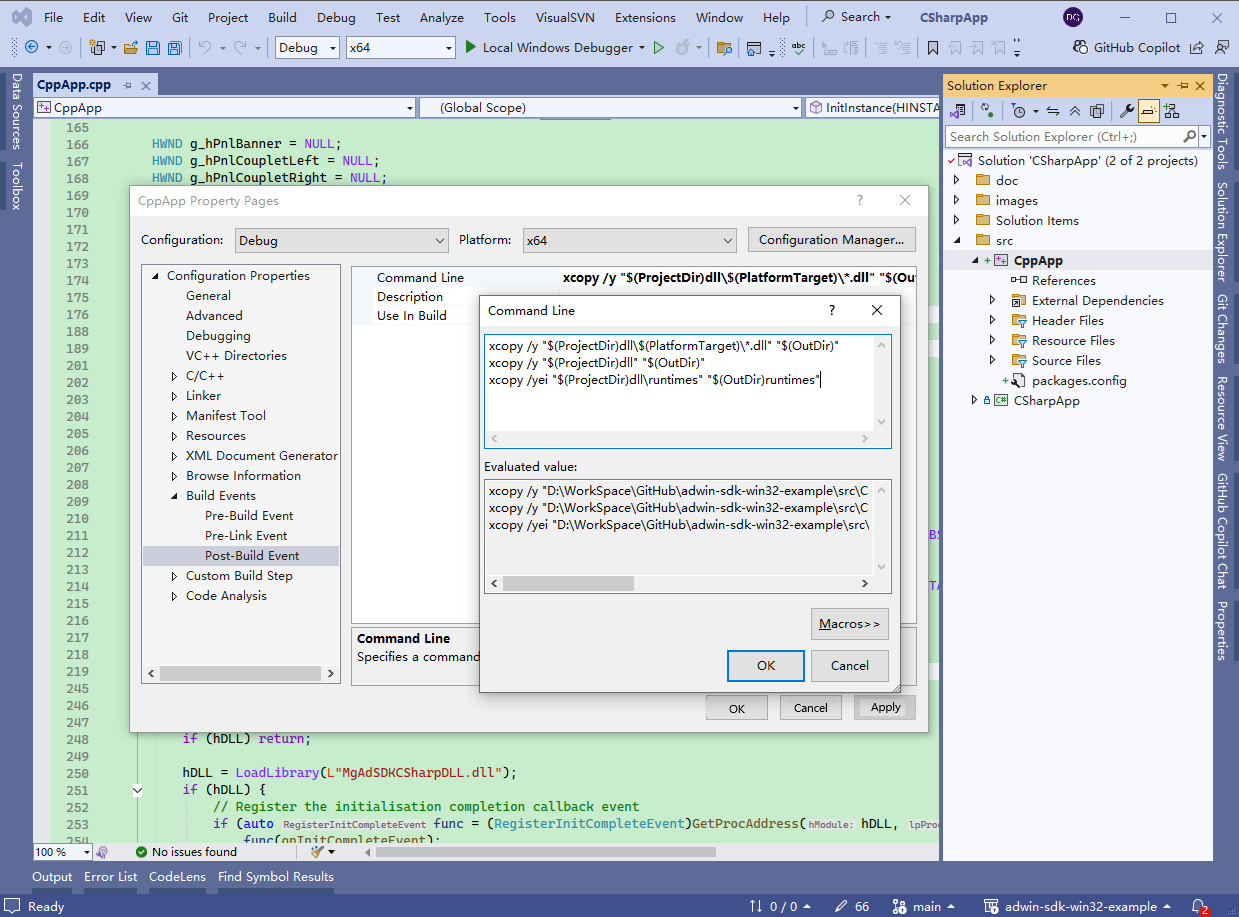
dllfolder. - Add commands to the post-build event to copy all DLL files from the MG AdS SDK to the build output folder.
xcopy /y "$(ProjectDir)dll\$(PlatformTarget)\*.dll" "$(OutDir)"
xcopy /y "$(ProjectDir)dll" "$(OutDir)"
xcopy /yei "$(ProjectDir)dll\runtimes" "$(OutDir)runtimes"