Development Environment Configuration
Introduction
This document mainly introduces the initial configuration for the Unity project when integrating the MG Ads Unity SDK.
Adding References
-
Download the MG Ads Unity SDK zip package. After extracting, you will get the
MGUnityADSdk.unitypackageplugin. -
Import the
MGUnityADSdk.unitypackageplugin into your Unity project. -
After successful import, locate the "MGADS" prefab in the
MGAdsSDK -> Prefabdirectory and drag it into your initial scene.
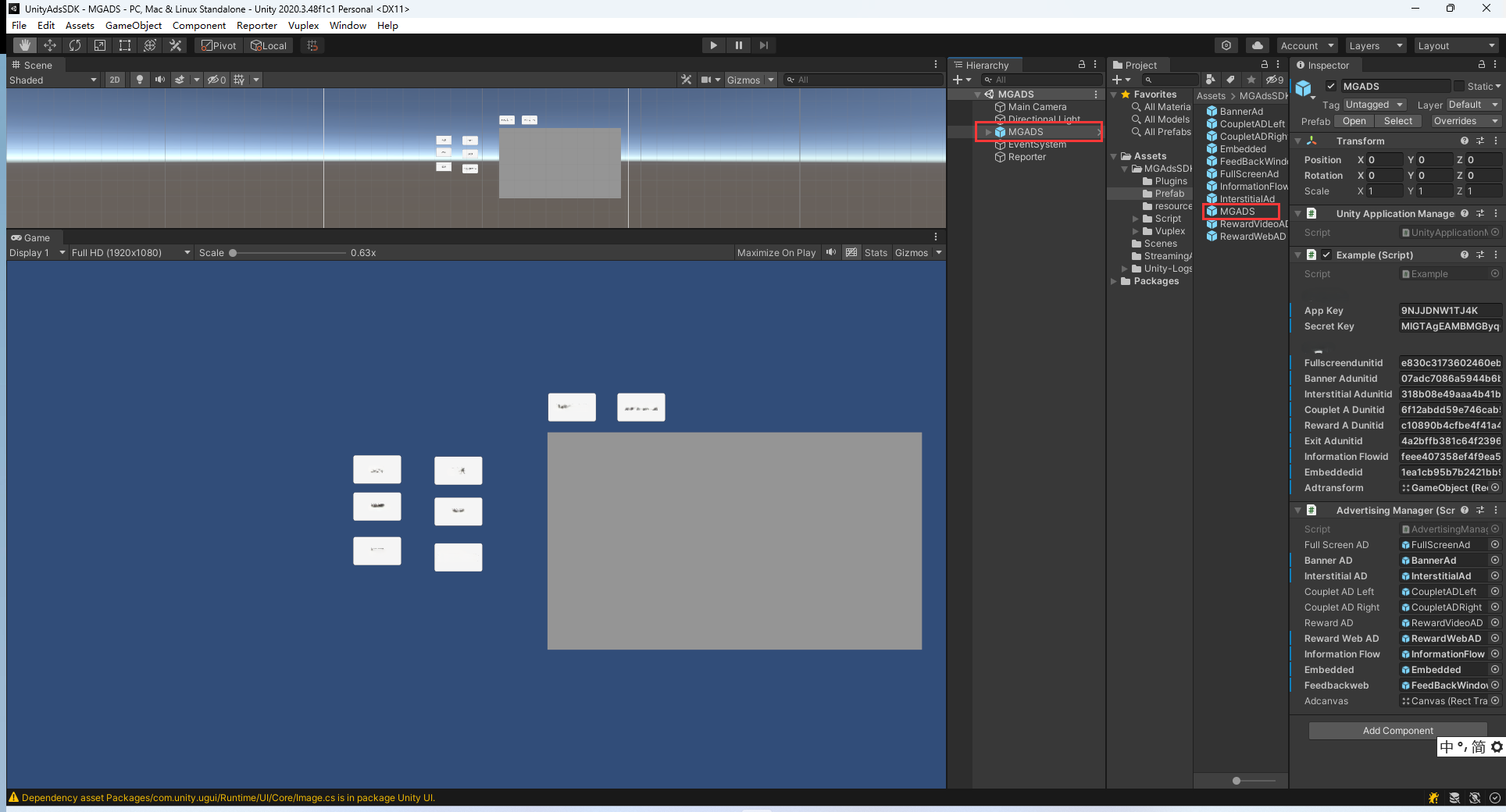
-
Ensure that the "MGADS" prefab has the
UnityApplicationManager.csandAdvertisingManager.csscripts correctly attached to it.